
Looking for an Obsidian alternative?
Obsidian is excellent, and many people should keep using it. But if you've found yourself spending more time arranging your notes than writing them, here's another way to work with the same kind of files.
Why people look for something else
The usual reasons are these:
- Too much setup. Choosing folders, templates, tags and plugins before you can just write.
- Keeping plugins working. Plugins update, clash or stop being maintained.
- Linking by hand. Connections only exist if you remember to make them.
- AI that sends notes away. Many AI plugins need an online service by default.
If none of these bother you, Obsidian is probably still the right choice. See Noughtpad vs Obsidian for a fair comparison.
How Noughtpad works instead
- The same kind of files. Plain Markdown in a folder you choose. You can even point Noughtpad at your Obsidian vault and use both.
- A blank page. No setup. Open it and write. Labels and sources are there when you want them and hidden when you don't.
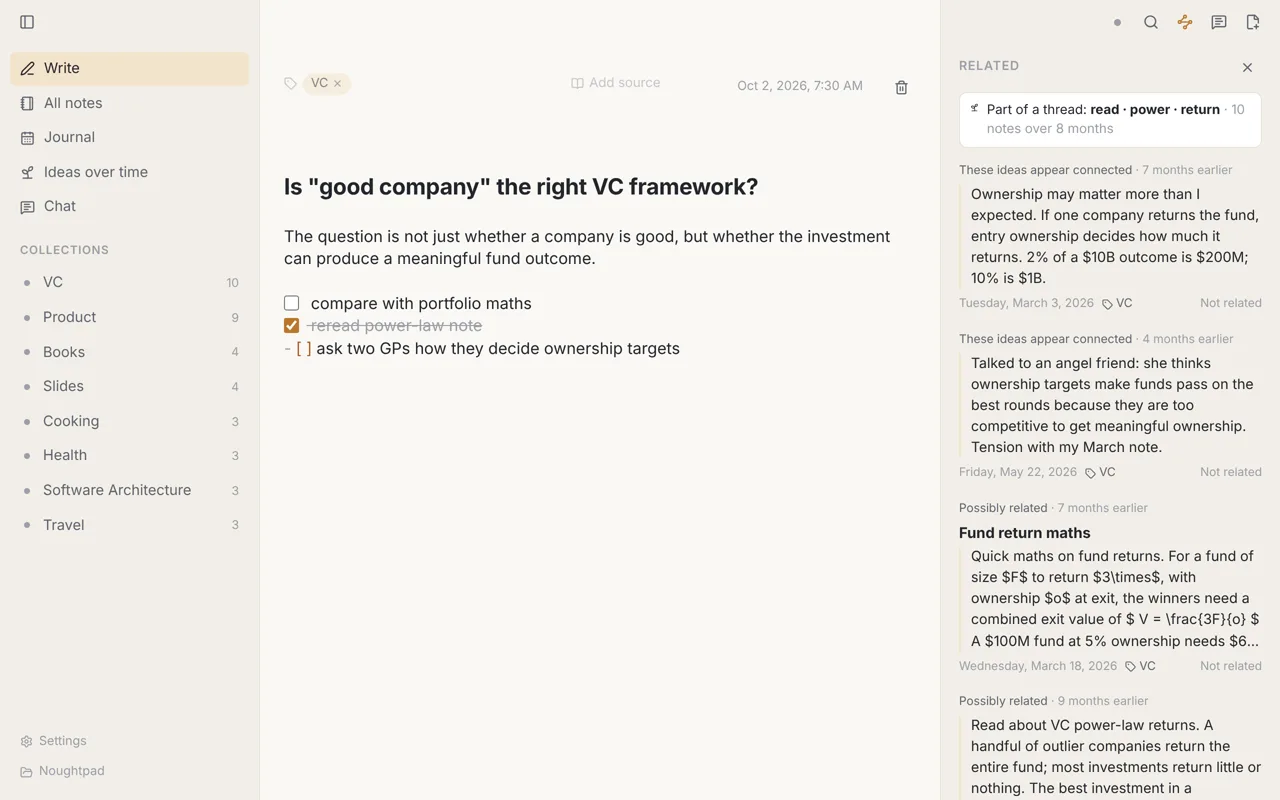
- Connections found for you. Press ⌘ J on any note to see others that seem related, with the passage that matched.
- Your ideas over time. See which threads you keep returning to and how they changed, month by month.
- Local by default. Search by meaning, related notes and ideas over time run on your computer. Chat can too, with a free model you download once.
What you'd give up
Be clear-eyed about this before switching:
- No plugins, no graph view, no canvas, and no
[[links]]or backlinks. - No phone or tablet app yet.
- Sync between computers is in beta (you can use any folder sync meanwhile).
Other alternatives worth a look
- Logseq, if you think in outlines and want open source. Noughtpad vs Logseq
- Bear, if you only use Apple devices and want a polished writing app. Noughtpad vs Bear
- Apple Notes, if you want something already on your Mac and iPhone. Noughtpad vs Apple Notes
- Notion, if you need to share and work with a team. Noughtpad vs Notion
Try it on your vault
- Download Noughtpad and install it.
- When it asks where to keep your notes, click Choose another folder… and pick your Obsidian vault.
- Turn on Settings → Finding connections, give it a moment to read your notes, then open a note and press ⌘ J.
Your files stay where they are. Noughtpad only changes a file when you edit that note in Noughtpad. If it isn't for you, delete the app and the hidden .noughtpad folder it added.
Prices and features of Obsidian as listed on obsidian.md, November 2026.
Try Noughtpad
It's free, it works without an account, and your notes stay plain Markdown files. If it isn't for you, the files open in any other Markdown app.
For Mac (Apple Silicon), Windows and Linux. No account needed.
More comparisons: all comparisons.