
Everything Noughtpad does
Noughtpad does two jobs well. It stays out of the way while you write, and it helps you find your way back through everything you've written.
Capture
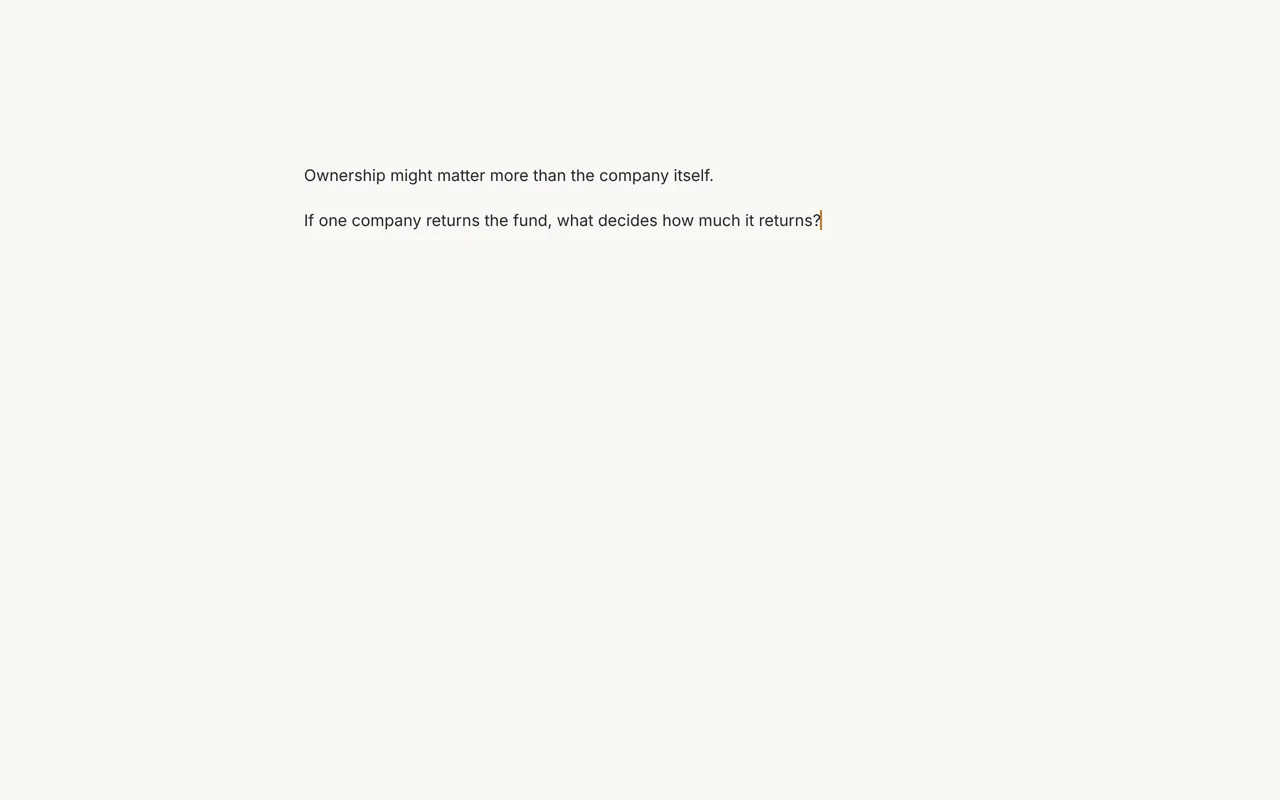
The writing page is only a page. Click anywhere and type. There's no title to fill in, no folder to pick and no button to save; every change is saved as you go.
- A quiet editor. Headings, bold, links, task lists, quotes, code and images look finished as you type. The Markdown symbols only show on the line you're editing.
- Quick capture from anywhere. ⌘ ⇧ Space on a Mac, or Ctrl Shift Space on Windows and Linux, brings Noughtpad forward on a new note.
- Labels and sources, out of sight. Hover over the top of a note to add labels (as many as you like, like Gmail) or a source such as a book or web page. Leave them out and nothing is missing.
- Paste that behaves. Copy from a web page, Google Docs or Word and you get clean Markdown. Pasted images are saved in an
attachmentsfolder. Copy from Noughtpad and you can paste formatted text into an email. - Diagrams and maths. Mermaid diagrams and LaTeX maths render in place.
Related notes
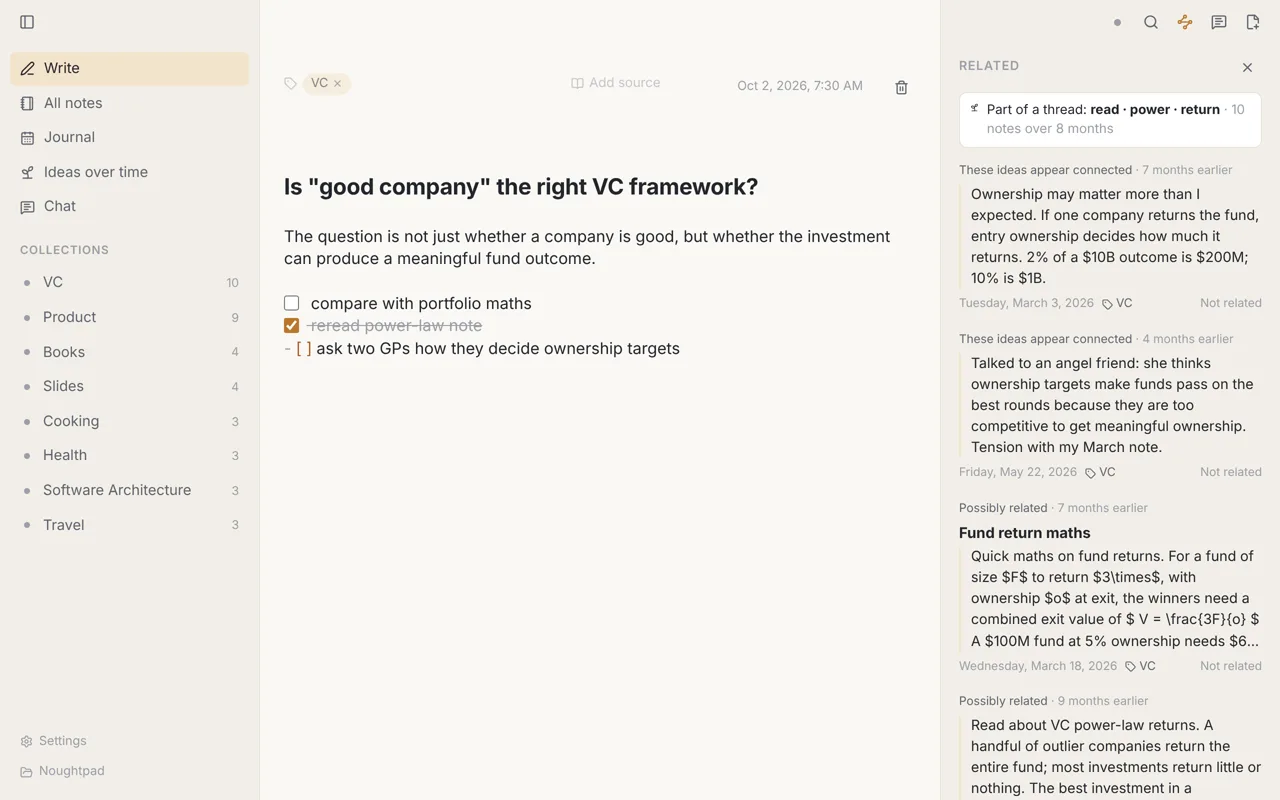
Press ⌘ J (Ctrl J on Windows and Linux) while reading a note. A panel lists notes that seem connected, with:
- the passage in each note that matched, and the passage in yours it matched,
- labels they share, or a source they share,
- how far apart in time they were written.
Click "Not related" to hide a suggestion for good (you can undo it). Noughtpad also notices which suggestions you open and which you dismiss, and adjusts what it shows. You can reset that in Settings.
Related notes never appear while you type. They only open when you ask.
Search, by words and by meaning
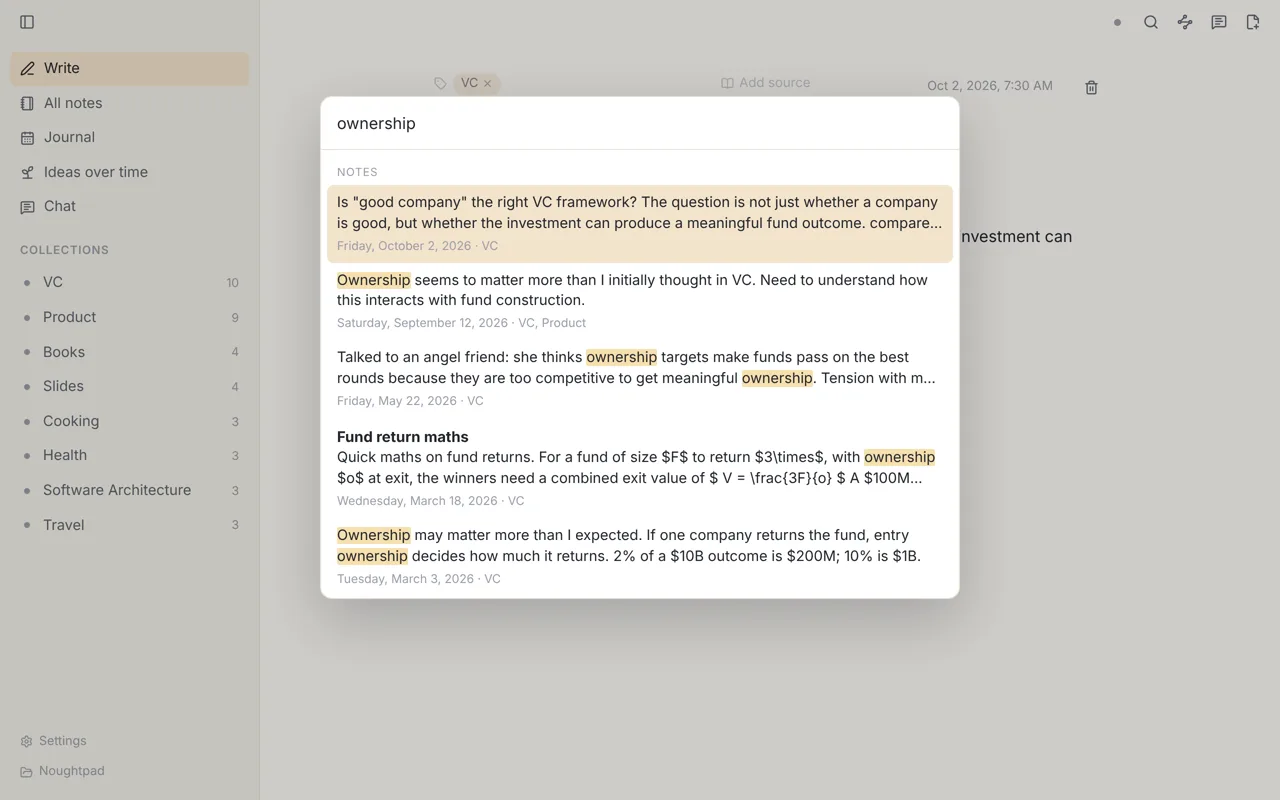
⌘ K opens search. It finds words and phrases, and you can narrow it with #label, type:personal or type:source, or "an exact phrase".
Turn on search by meaning and it also finds notes that say the same thing in other words. This uses a small model (about 65 MB, downloaded once) that runs on your computer. Your notes never leave it. The same switch turns on related notes and ideas over time.
Ideas over time
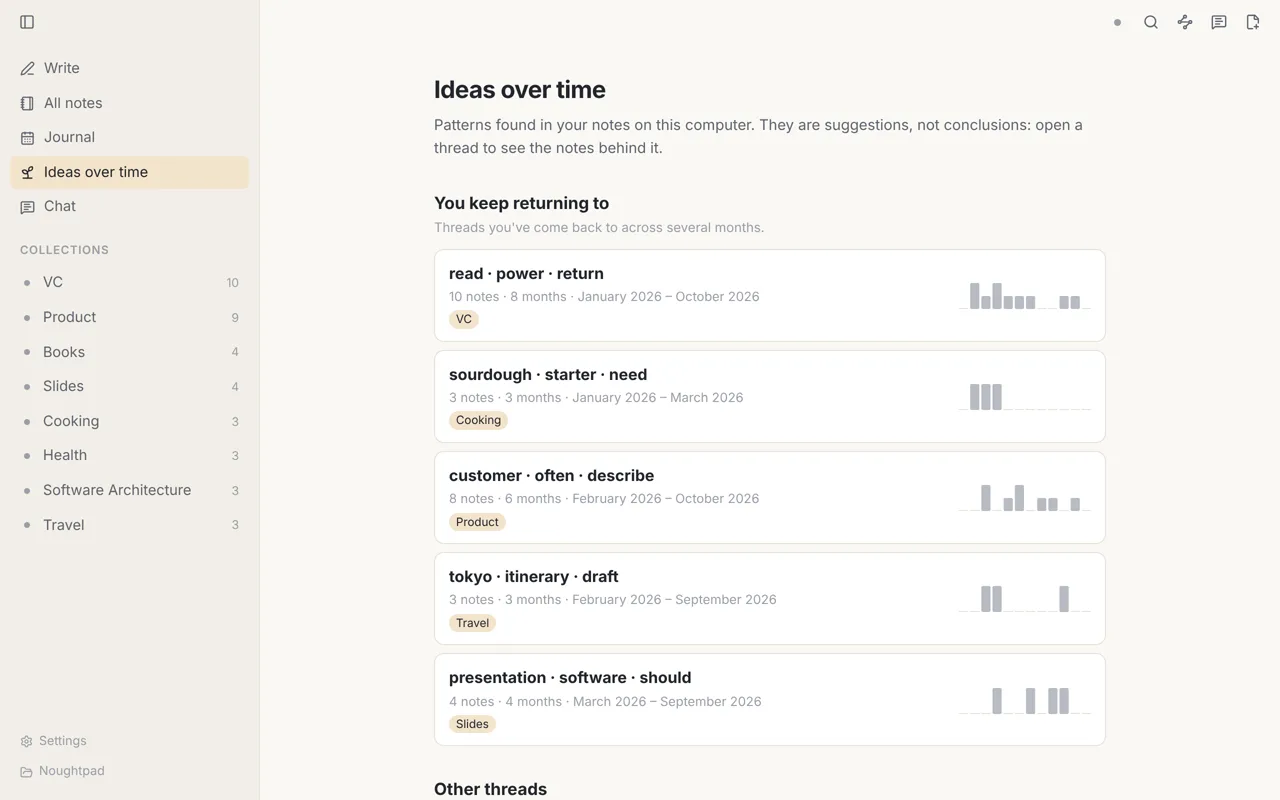
Noughtpad groups your notes into threads by what they're about, then shows:
- What you keep returning to: threads you've written about across several months.
- Ideas forming: threads that started in the last few weeks.
- Dormant ideas: threads you haven't touched for three months or more.
- Influences: something you read that may have shaped a later note of your own.
- Open questions: questions you wrote down and never came back to.
Open a thread to read it month by month. Each note is marked when it may build on a source, return to an earlier note, or rethink one. The wording is careful ("may build on") because these are hints, not facts.
All of this is worked out on your computer from your notes. No AI writes any of it.
Journal and activity map
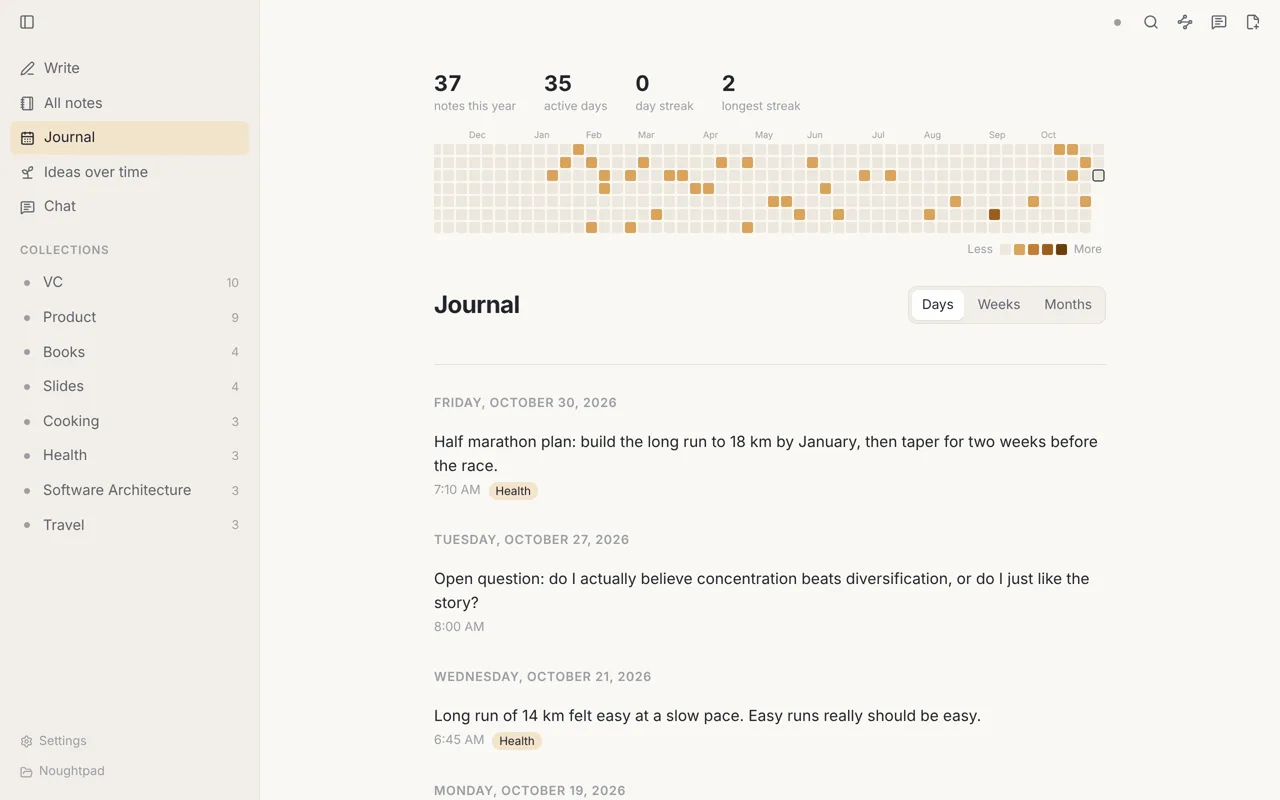
The Journal shows your own notes by day, week or month. At the top, a year of writing is laid out as squares, one per day, with how many notes you wrote this year, on how many days, and your current and longest streak.
It's there to look at, not to keep up with. There are no goals, reminders or badges.
Chat with your notes
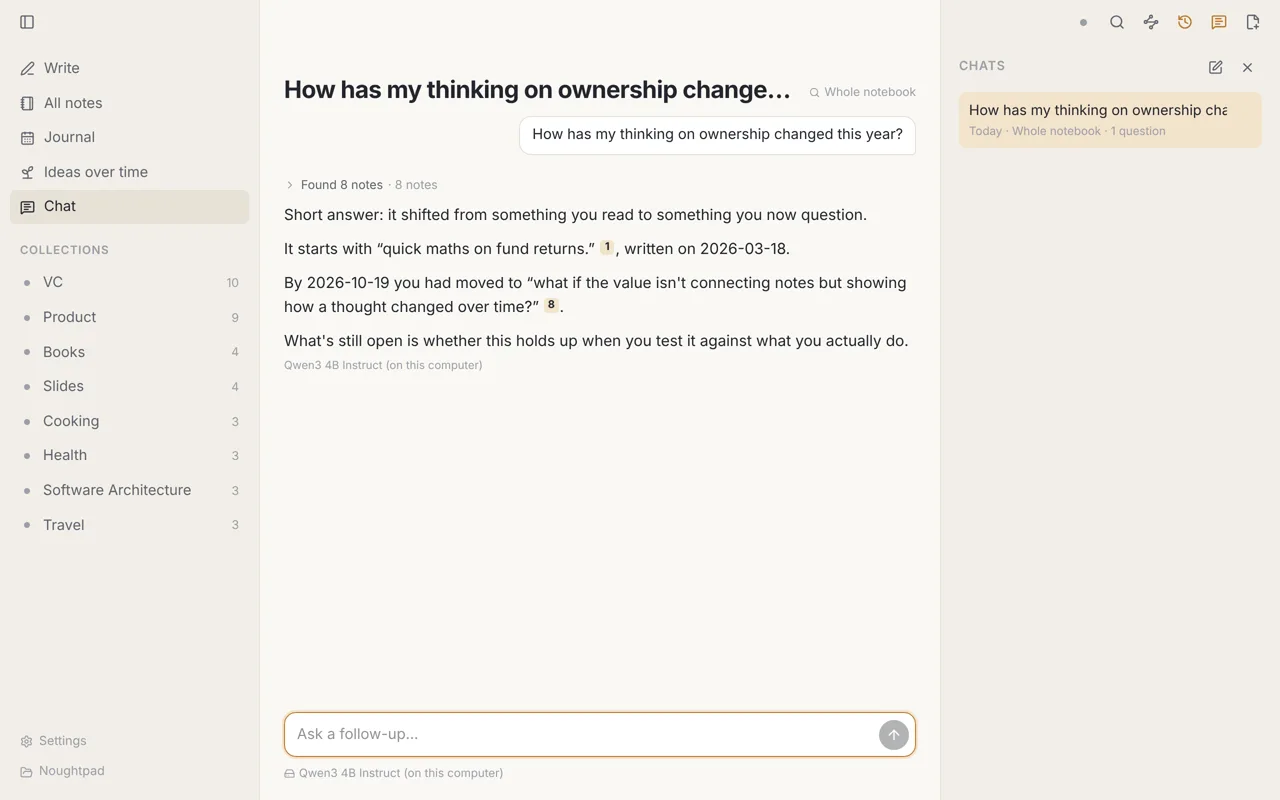
Open Chat (⌘ L) and ask questions about what you've written. Pick what the chat can read: the whole notebook, one note and its related notes, a thread, a month, a label, or your open questions. Each answer shows the notes it read and points to them by number.
Chat is off until you choose a model, on the Models page. You have two kinds of choice:
- A model on your computer. Free and private, and it works offline. The recommended one is a 2.5 GB download; a smaller one is offered for older computers.
- Your own provider. Add a key for Anthropic, OpenAI or Gemini, or point it at Ollama or any OpenAI-compatible server. Keys are kept in your system's keychain, never in your notes folder.
Before an online provider sees any note, Noughtpad shows which notes would be sent and where, and asks. You can untick notes. It asks again for each new chat and whenever the destination changes. Chats are saved in your notebook folder so you can come back to them. Your notes are never changed by a chat.
Sync between computers
Noughtpad can keep the same notebook on two or more computers through your own Google Drive. It syncs every minute and a few seconds after you stop typing. If you edit different parts of a note on two computers, both edits are kept. Only when the same lines change on both does it save a second copy next to the note so nothing is lost.
Sync is in beta and open by invitation. It will become an optional paid add-on; the app itself stays free. Ask to join the beta.
You don't need Noughtpad's sync to use more than one computer. Your notes are plain files, so any folder sync you already use will carry them.
Your files, your folder
- Each note is one Markdown file, filed by year and month:
2026/11/2026-11-04-0930-first-line.md. - A short header at the top of the file holds the date, labels and source. Noughtpad never rewrites a file behind your back.
- Edits made in other apps (Obsidian, a text editor, git) show up in Noughtpad straight away.
- Noughtpad keeps its search index in a hidden
.noughtpadfolder. It can always be rebuilt from your notes.
More about where your files live
What's next
On the way: phone apps, iCloud sync for Apple devices, and sync for everyone on Windows and Linux.
For Mac (Apple Silicon), Windows and Linux. No account needed.